

Intelligent Feedback
Spend negligible time on inaccuracy using Intelligent Feedback. Manual corrections, the curse of legacy systems and new formats
- Common real-world formatting issues such as inconsistent date formats, commas versus dots for decimals, or extra spaces in GST numbers, surface frequently.
- Legacy systems require extensive retraining to handle new document formats or vendors, often relying on slow, brittle, developer-driven templates.
- Even in next-generation tools, data corrections made once might often be repeated across future documents.
Provide human-like feedback during the scanning process, so that documents in new formats or with new fields can follow your guidance. This way, document processing can begin seamlessly, without any manual intervention.
Introducing Intelligent Feedback
Train your AI on the go, during data extraction and convert user corrections into reusable smart instructions
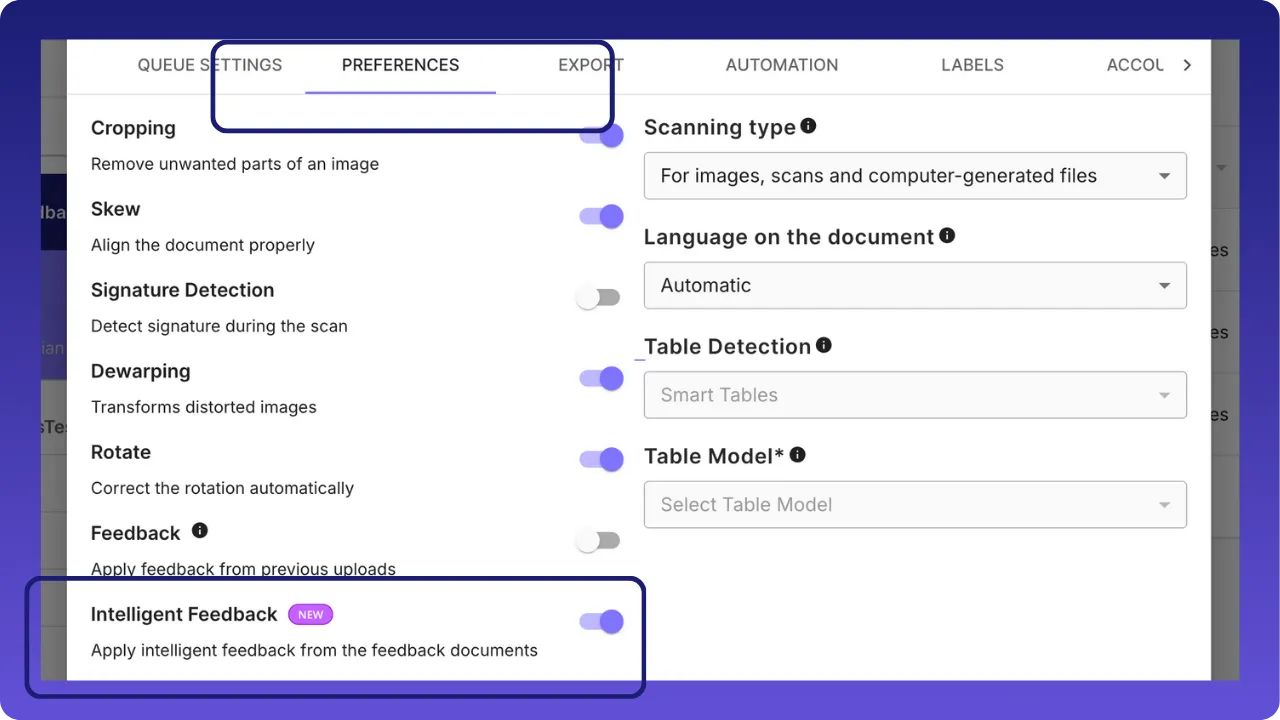
Enable Intelligent feedback
In the queue settings, under Preferences, enable “Intelligent Feedback”
Upload documents and train them
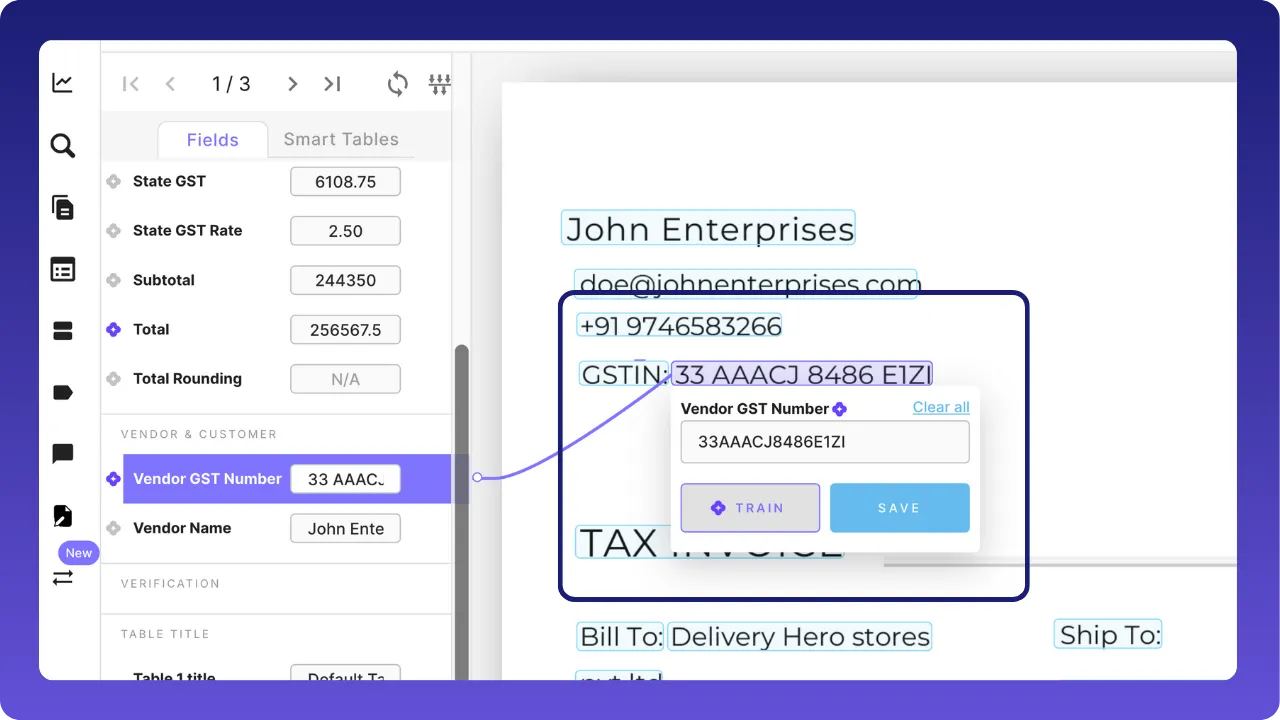
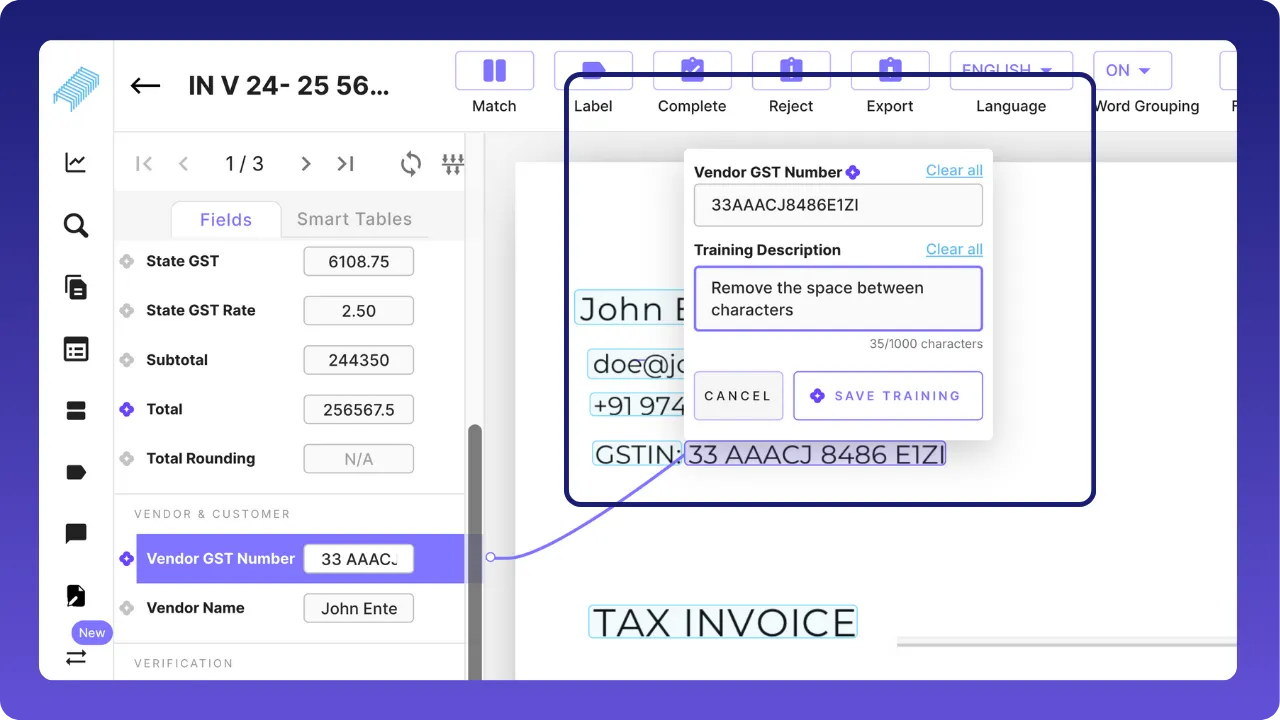
Make the changes and click on train. The train description will pop up where we need to enter the prompt, a guide for the tool to make changes automatically in the future documents.
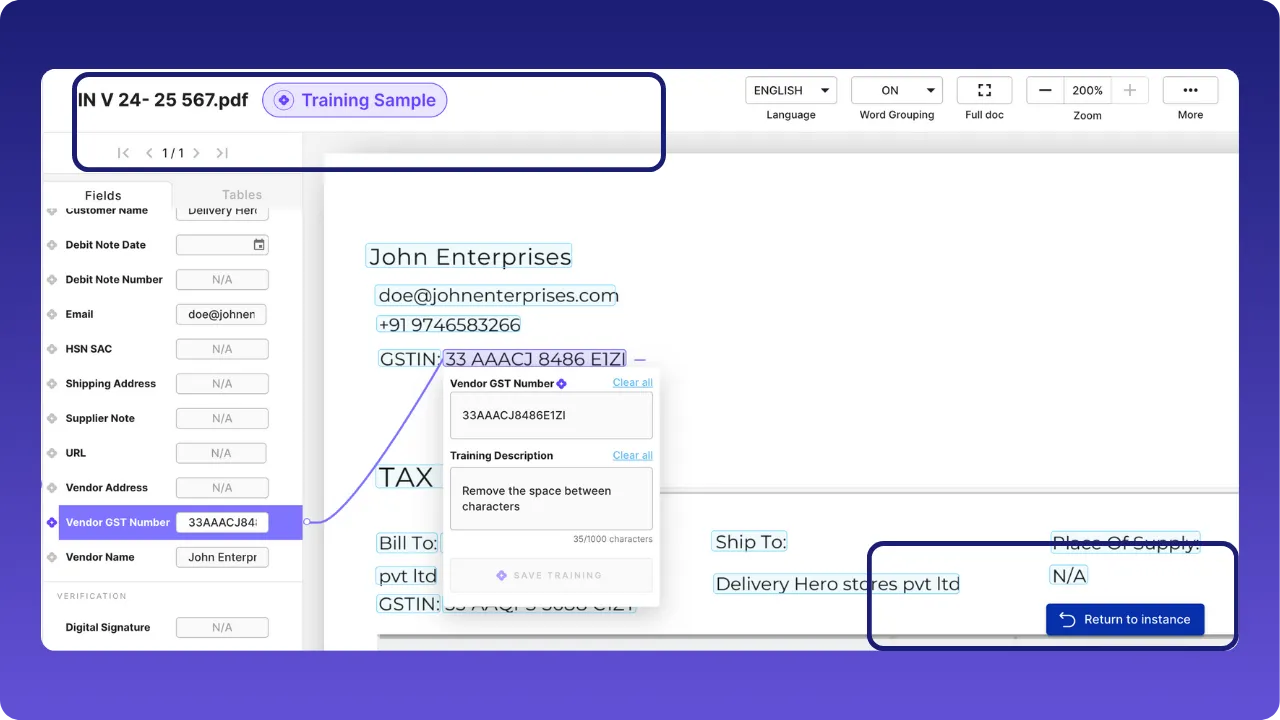
Below is an example of training the tool to remove the spaces between the GST number automatically.
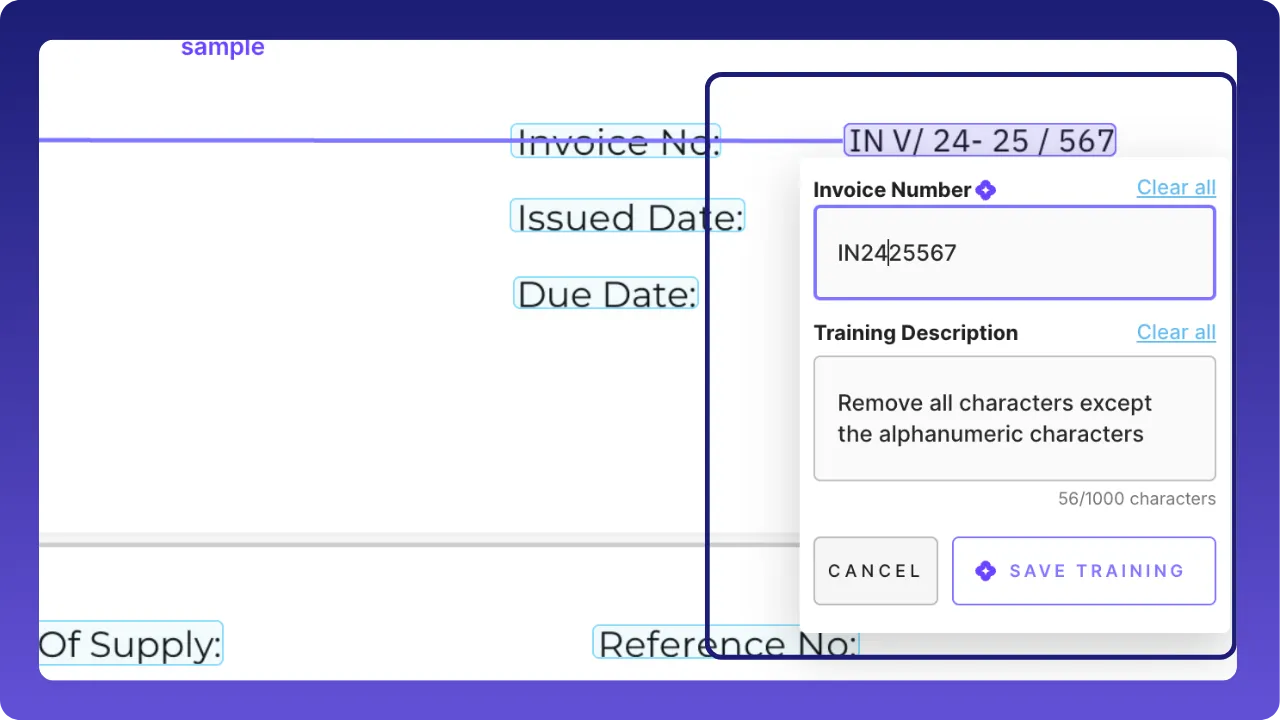
Below is an example of training the tool to remove special characters like /,-
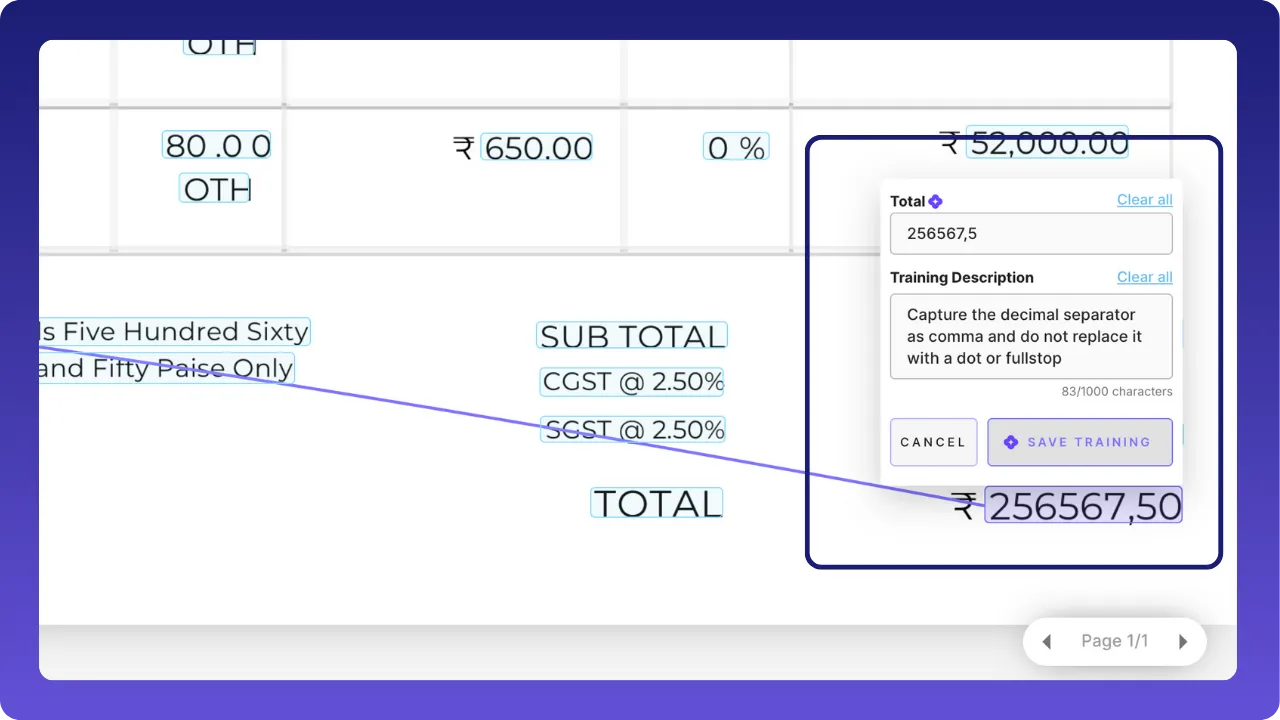
Below is an example of capturing comma in value instead of predefined dot. Likewise, even date can be altered.
Exploring feature enhancers
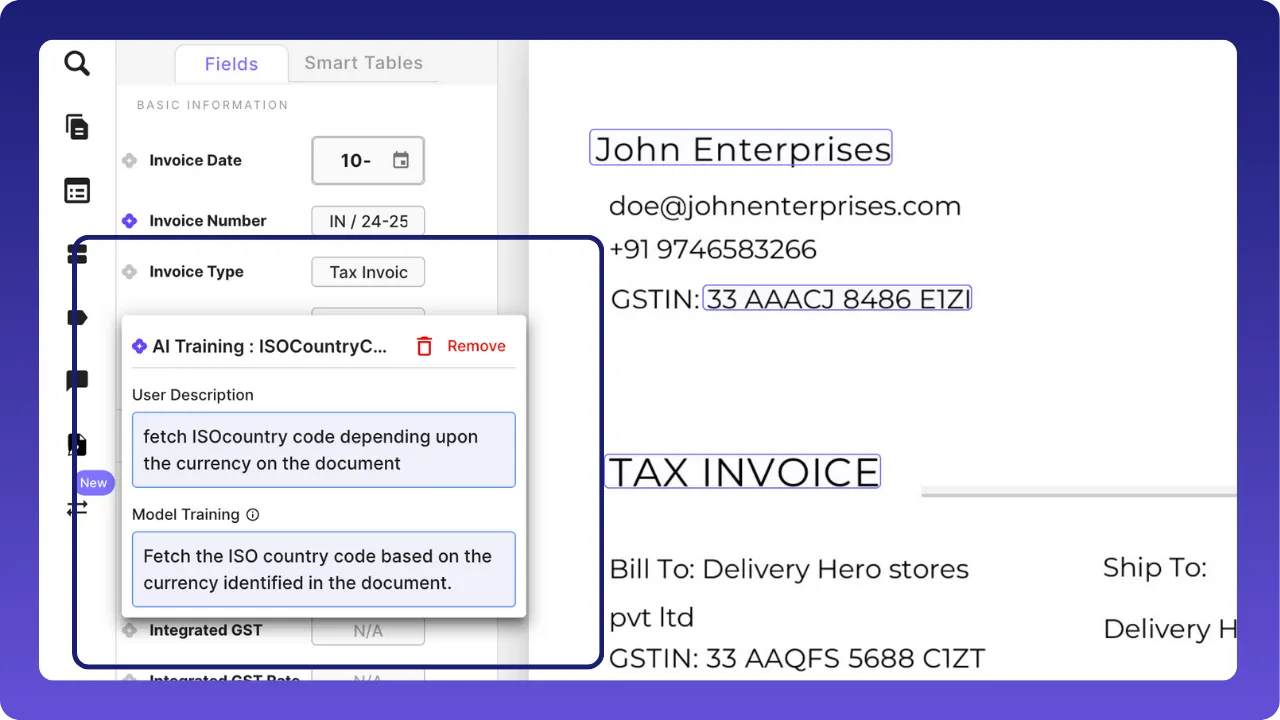
Fetch data that are not on the document too. Eg: The ISO country code on the image is not on the document, but the tool can derive it with the help of currency
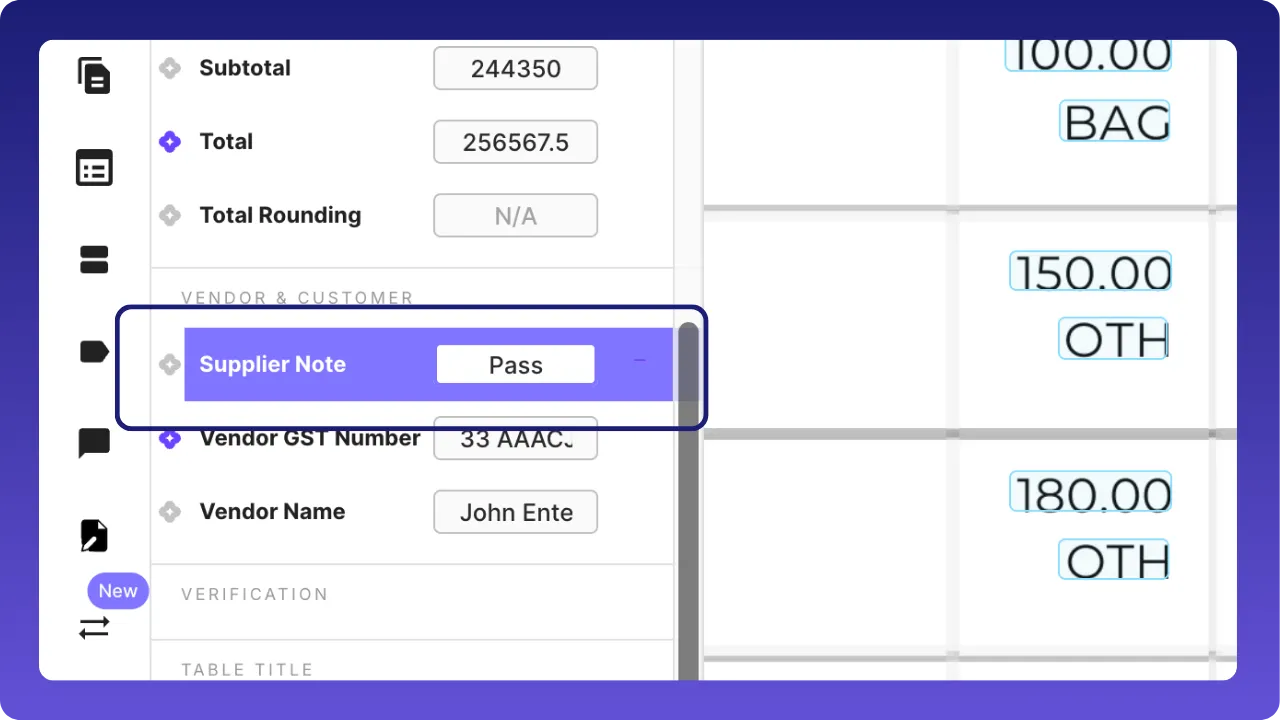
Make corrections or add new values to the document without training the AI, keeping it a secret.
Take complete control on training . “Training samples” get created when the first change is made. Train fields and control access centrally
Turn your manual edits into smart instructions
- Reduce repeated manual corrections, save reviewer time.
- Improve downstream extraction accuracy and consistency.
- Empower non-developers to teach the model (no coding required).
- Build a growing training library of real examples that reflect your data reality.
FAQ
1. What is Intelligent feedback?
Intelligent Feedback (IF) is a feature that helps the AI learn from the corrections you make on documents. Instead of fixing the same mistakes again and again (for example, retagging invoice date, adding missing country code), you can teach the AI once. After that, it will try to apply the same logic to similar documents automatically.
With Intelligent Feedback, the AI can:
- Remember the instruction you taught it in plain language
- Apply that learning to similar future documents
- Reduce your manual review and repetitive work over time
When similar documents arrive later, the AI:
- Applies what it has learned
- Automatically fills in trained fields for you
This drastically reduces repetitive fixes and helps your team trust the accurate extracted data more.
This guide explains:
- How Intelligent Feedback works and prerequisites
- How to train the AI step by step
- How trained documents affect future documents
2. Why Use Intelligent Feedback?
The main goal of Intelligent Feedback is to improve data accuracy over timeandreduce manual work.
A. Less Repetitive Work
When you train a field, the system remembers the correct valueandyour written instructionexplaining*** how to capture it *. The system will try to apply this knowledge to similar documents in the future.
B. Better Accuracy You Can Trust
Intelligent Feedback uses the surrounding text and context and your instruction (not just position on the page). This helps the system understand what to extract, not just where to look. This leads to improved accuracy in capturing information.
C. Full User Control & Transparency
You always stay in control:
- You can view, edit, or delete training instructions
- You decide which documents can provide training
- You can remove training anytime if it’s no longer needed
Nothing is hidden or automatic without your visibility.
D. Supports Complex Logic
You can train the AI to assign the values which do not present on documents by specifying logics. We call it as an Inferred field, which deduce values from context.
For example,
- You want the AI to capture ‘TaxNet’ but the field is not present on the document. You can train the AI with the instruction
‘TaxNet is division of TaxAmount by TaxRate’ (given TaxAmount and TaxRate are present on documents).
- You want the AI to classify ‘DocumentType’ as ‘PO Invoice’ or ‘Non-PO Invoice’. You can give an instruction
‘Assign PO Invoice if a document contains purchase order number, otherwise assign Non-PO Invoice’.
E. Field-Level Learning
Training applies only to the specific field you correctedandto similar documents. It doesnot affect other fields or unrelated documents.
3. How Intelligent Feedback Is Better Than the Old System?
The previous feedback system (internally called Telescope) relied heavily on fixed positions on the page. Intelligent Feedback removes many of those limitations. Here are key improvements:
- Not Position-Based- The old system broke when document layouts changed slightly. Intelligent Feedback uses context, so it adapts better to layout variations.
- Field-Specific Training- The old system used the whole document to train the AI. Intelligent Feedback applies only to the exact field you trained.
- Explicit and Controlled- The old system trained the AI when a document was marked ‘Completed’. Intelligent Feedback requires a clear ‘Train’ action, so you always know when learning happens.
4. What About Old Feedback System?
- New training of the old feedback system will not be triggerred anymore when a document is marked ‘Completed’.
- Existing training of the old feedback system will continue to work as before.
- You will not be able to create new queue with the old feedback system.
- All new training is advised to use Intelligent Feedback.
This ensures everyone benefits from the improved learning approach.
To know more, reach out to us support@staple.io or register on our website: www.staple.ai