

Monthly release notes for Staple AI
March '26
March’s release focuses on improving scanning performance, global usability, model configuration efficiency, integration flexibility, and data accessibility. These updates reduce manual effort, improve reliability, and make the platform more scalable for enterprise workflows.
1. Scanning Performance and Reliability Improvements
Document scanning has been enhanced to improve both processing speed and reliability, especially for large and complex documents.
How it works
- Processing has moved from sequential to concurrent execution, allowing documents to be broken down and processed in parallel
- Improves performance for large documents (e.g., multi-page files)
- Introduces a self-healing mechanism for handling failures
- If a specific step (e.g., table detection) fails, only that step is retried instead of reprocessing the entire document
- Retry attempts are controlled with a maximum limit to prevent infinite loops
Benefits
- Faster processing of large documents
- Improved system throughput
- Reduced failure rates
- No need for manual retries
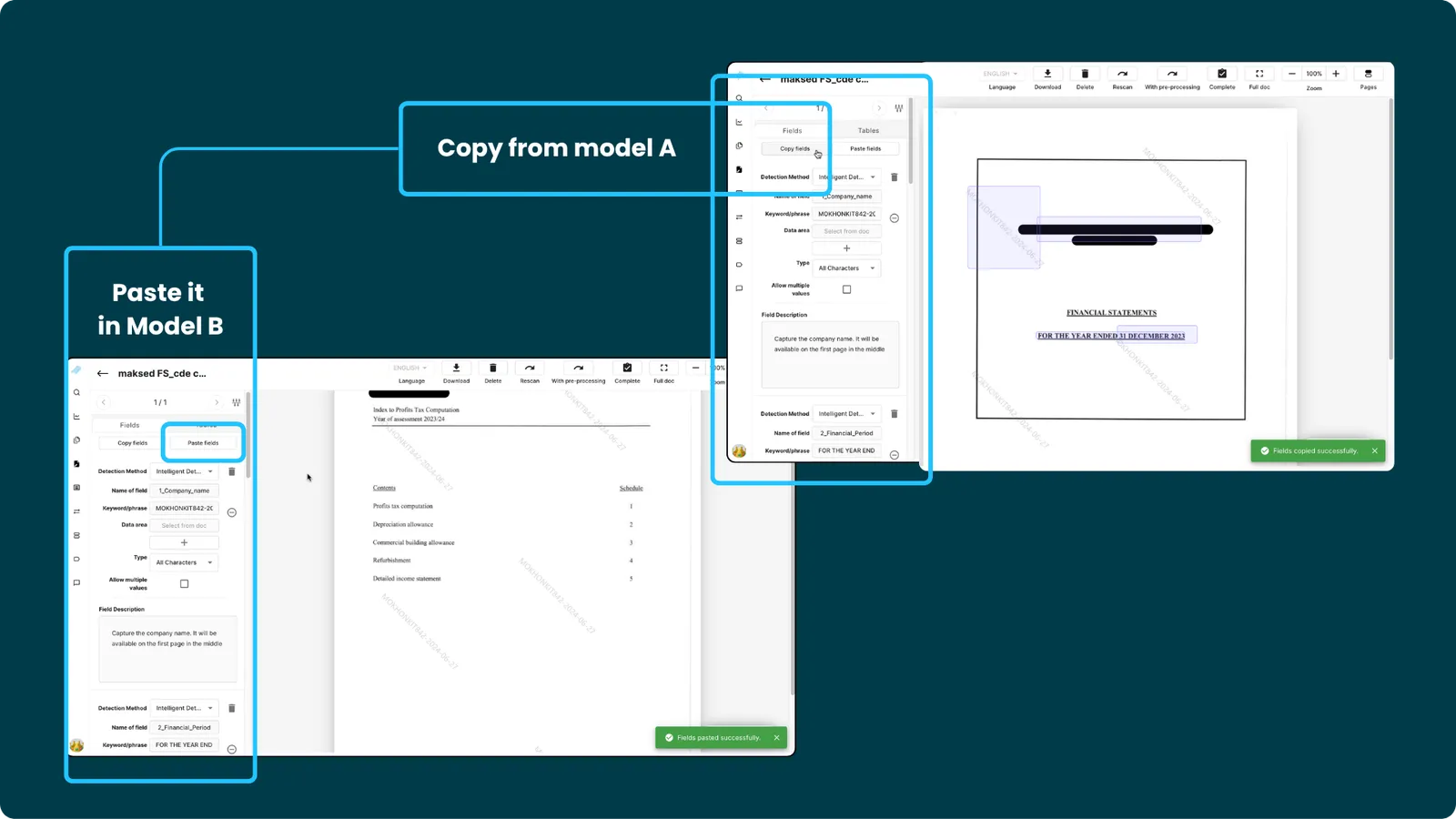
2. Copy and Paste Fields in Model Builder (Sidebar Fields)
Creating similar templates previously required manually re-tagging fields, even when configurations were identical.
This release introduces copy and paste functionality for sidebar fields in Model Builder.
How it works
- Copy field configurations from one template
- Paste them into another template
- Uses browser clipboard for transferring field configurations
Benefits
- Faster template creation
- Eliminates repetitive field tagging
- Useful for creating similar template variants
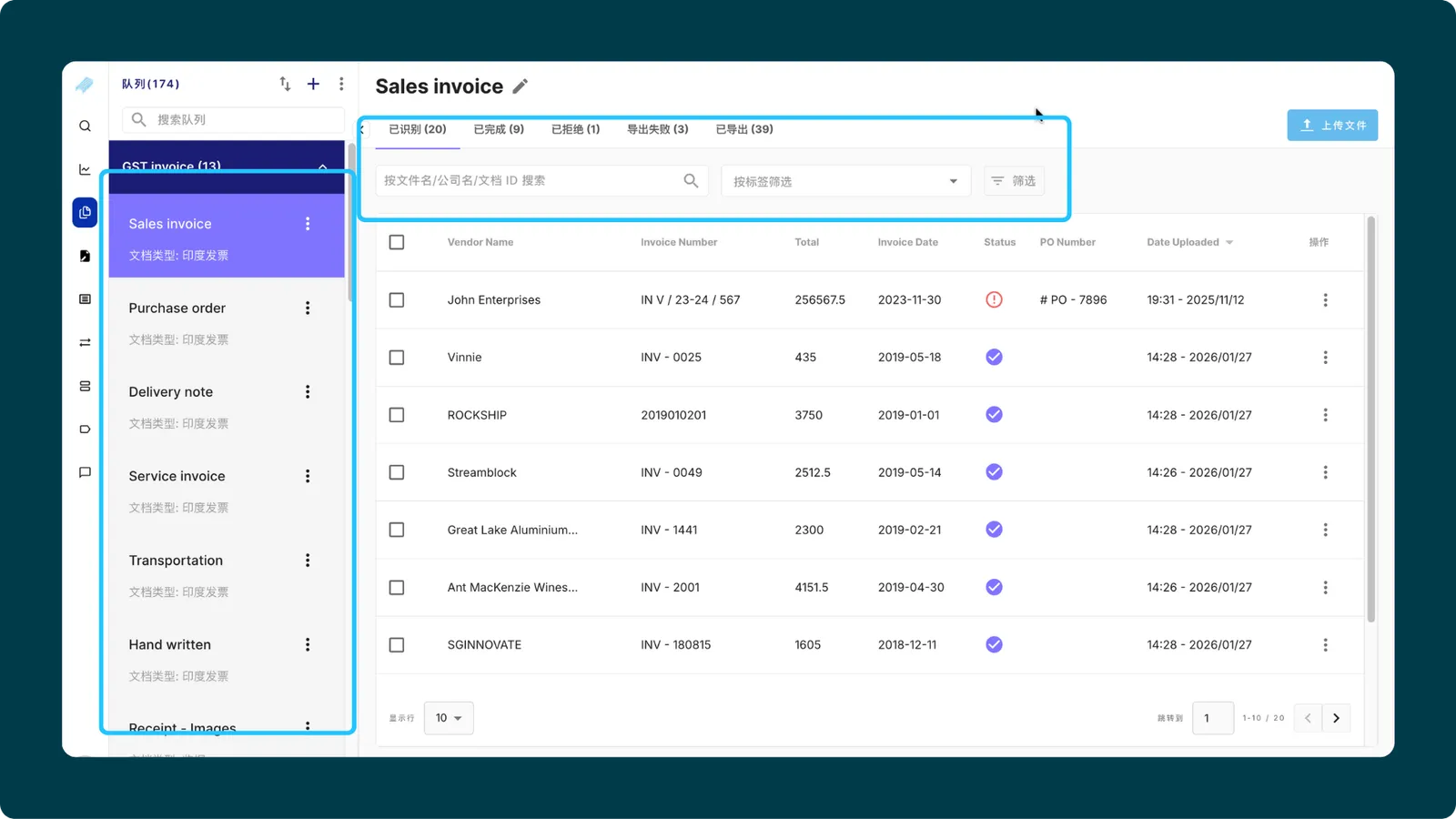
3. Localisation Expansion (Chinese & Japanese)
Localisation support has been expanded further across the platform to improve usability for international teams.
What’s included
Localisation now covers:
- Profile page
- Role management
- Analytics
- Advanced search
- Queue list
- Model builder
- Scanning tabs
- Hover messages
- Email templates
- Label actions
Supported languages:
- Chinese
- Japanese
Benefits
- More complete localisation across workflows
- Improved usability for global teams
- Better adoption in regional markets
4. Webhook Workflow Enhancement (Manual Trigger Support)
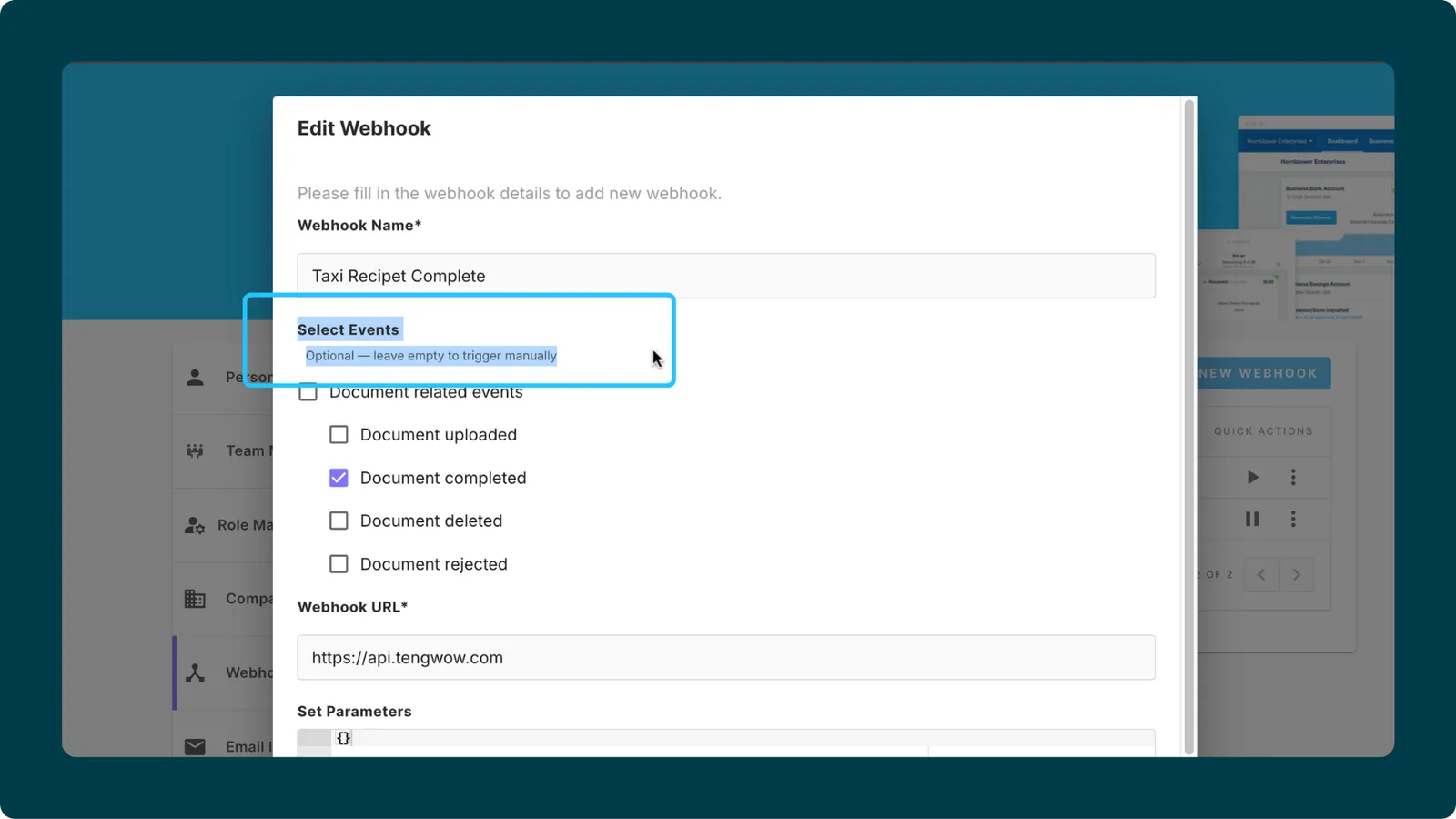
Webhook creation previously required selecting an event, which prevented manual or ad-hoc workflows.
This release introduces support for event-optional webhook configuration.
How it works
- Event selection is now optional
- Webhooks can be created without selecting any system event
- Enables manual triggering of webhooks
Benefits
- Supports ad-hoc integrations
- Enables manual workflows
- Allows reuse of webhook endpoints
Minor enhancements
1. Include Email Metadata in Export and Download
Email metadata was previously available in the system but not included in exported or downloaded data.
This release enables email metadata to be included in all exports and downloads.
How it works
Included metadata fields:
- From
- CCs
- Date & Time
- Subject
- Email body
Available in:
- UI downloads and exports (single and bulk)
- API downloads and exports
Benefits
- Improved downstream data processing
- Better traceability of document origin
- Eliminates dependency on Concur-specific exports
2. Role-Based Access for Multiple Export and Document Actions
Document actions were previously not controlled at a granular level based on user roles.
This release introduces role-based access control for export and document actions.
What’s included
-
Multiple export (re-export) restricted based on user roles
-
Role-based control for:
-
Removing documents
-
Removing exported documents
Benefits
- Better governance and control
- Prevents unintended actions
- Aligns actions with user permissions
3. TypeORM Upgrade
The backend ORM layer has been upgraded to improve system stability and maintainability.
What’s included
- Upgrade to latest TypeORM version
- Replacement of deprecated query methods
- Migration to updated architecture patterns
Benefits
- Improved stability
- Reduced technical debt
- Better long-term maintainability