

Monthly release notes for Staple AI
June '26
June’s release focuses on upload visibility, e-invoicing self-service, translation control, and model configuration. These updates give users real-time insight into document processing, let customers onboard their own subsidiaries for e-invoicing compliance, and make models easier to maintain.
1. Progress Panel: Live Upload Visibility
Uploading through the UI used to come with a blind spot: once you hit upload, you had no idea what was happening to your document. Slow scans looked like lost documents, and the only option was to refresh and hope.
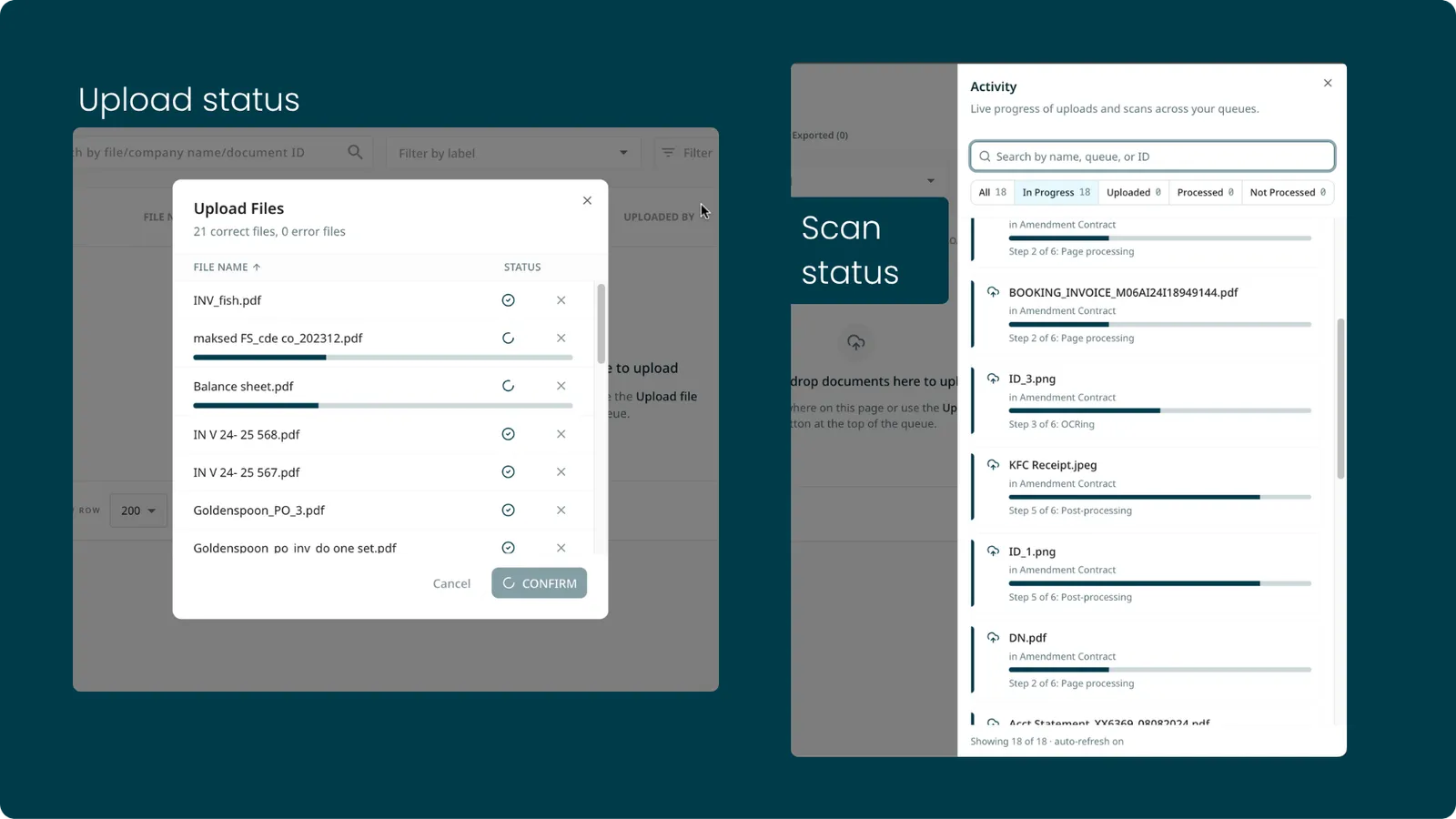
The new Progress Panel gives you live, end-to-end visibility into every upload.
How it works
A floating panel appears on the queue list page, similar to a cloud drive upload tray. Kick off an upload, carry on with your work, and revisit anytime to check progress. The panel expands and collapses without blocking anything else you are doing.
Each document moves through clear states, so you always know exactly where it is:
- Uploading
- Uploaded
- Moving to Scanned
- Scanning
- Scanned
- Upload Failed, Scan Failed, or Duplicate when something goes wrong
What’s included
- Upload up to 100 documents at once, up from the previous limit of 10
- Per-document progress bars covering both upload and scan stages
- Retry button for failed uploads, directly from the panel
- Filter entries by status, time period, or document name
- Covers uploads from the UI, API, and email, scoped to your own documents
Benefits
- No more guessing whether an upload went through
- Failed documents are surfaced explicitly instead of silently disappearing
- Bulk uploads scale without losing track of individual files
2. Global E-Invoice Onboarding: Germany and France
Receiving e-invoices in Germany and France requires registering each legal entity on the Peppol network. Previously, onboarding a new subsidiary took days of manual back-and-forth setup.
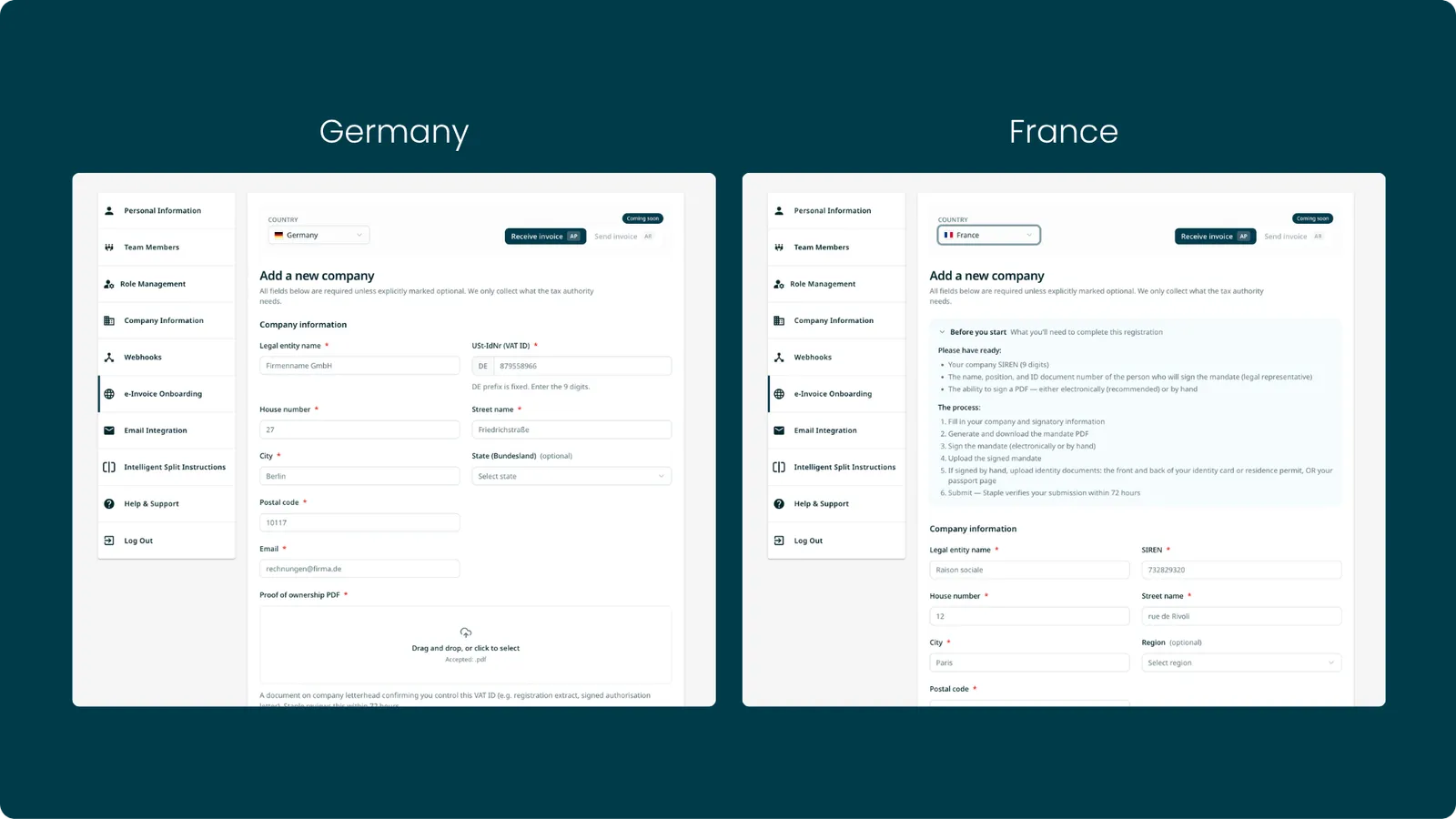
Customers can now self-register their subsidiaries directly inside Staple, in a fully guided flow.
How it works
- Open the onboarding flow inside Staple and register a subsidiary for Germany or France
- The guided UI collects the required company details and handles Peppol registration
- Once registered, the entity can receive e-invoices directly into Staple queues
Benefits
- Self-service setup: no back-and-forth with support to onboard an entity
- Compliance handled: meets e-invoicing mandates in Germany and France
- Scales for multi-entity customers: parent companies can onboard all their subsidiaries themselves
- One consistent Staple experience end to end
More countries are on the way, with Poland and Singapore in progress. Reach out to hello@staple.ai to get started.
3. Field-Level Translation Control
Document translation translates every field in a document. But some values mean the same thing in any language and should never be translated: bank codes (BIC/SWIFT), currency codes, flight numbers, names. A SWIFT code like CHASAU2X translated into another language becomes meaningless.
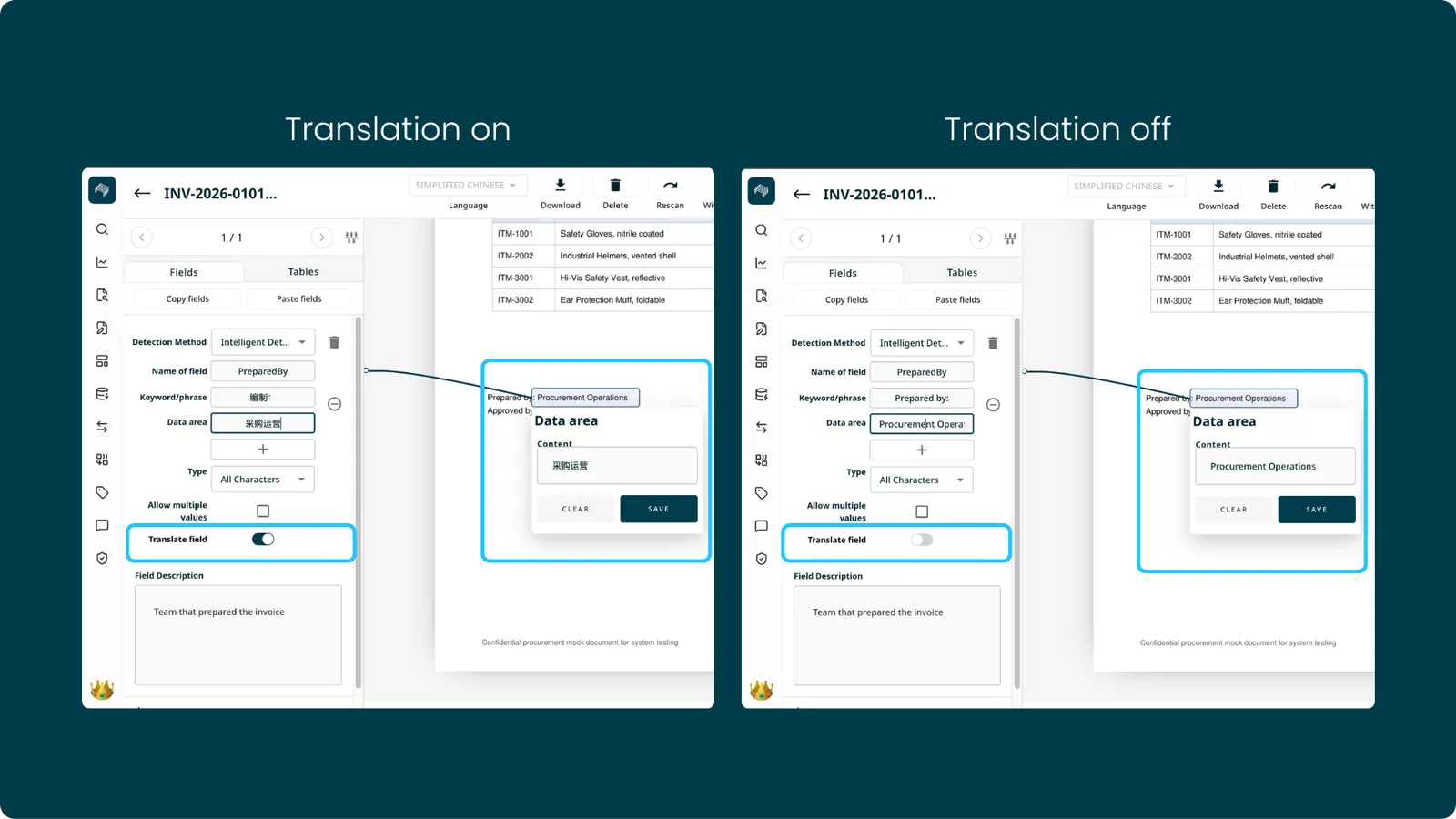
You can now turn translation off for individual fields while the rest of the document stays translated. Supported translation languages are English, Simplified Chinese, and Japanese.
How it works
Each header field has a Translate field toggle in the model sidebar.
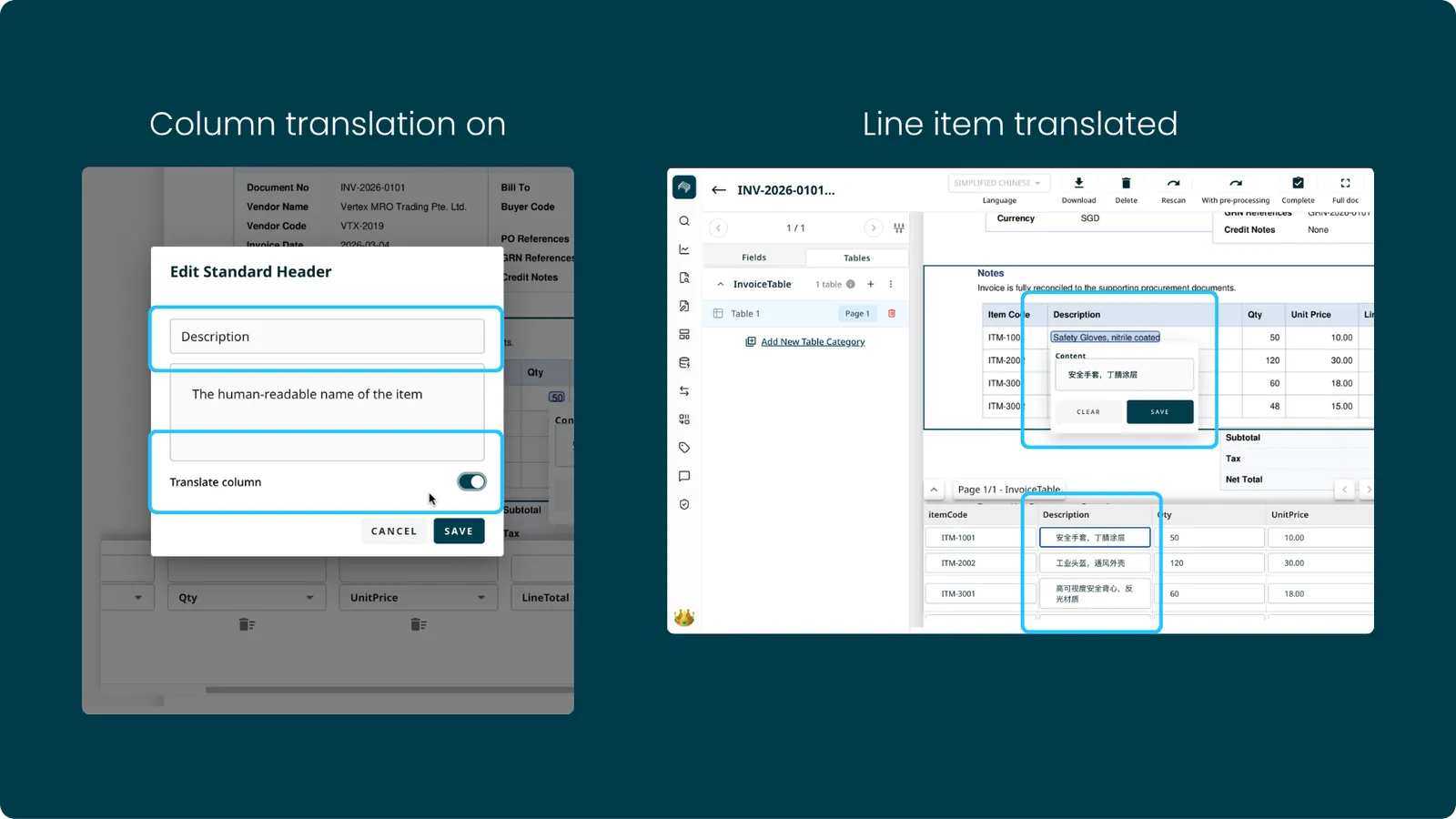
Each table column has a Field translation toggle in its column header edit.
Turn a field off and it keeps its original extracted value, even in the translated view. The setting is stored on the model, so it applies to every document scanned with it.
What’s included
- Works on both header (sidebar) fields and table columns
- A column setting applies to every row in that column
- Exports, downloads, data mapper lookups, and reconciliation all respect the per-field setting
- Existing models are unchanged by default: all fields stay translated until you switch specific ones off
4. Sidebar Fields Move from Template to Model Level
Deleting a field from a template did not delete it everywhere. Sidebar fields lived at the template level, so removing a field from one template left it alive in others, and it would still show up in the queue. Truly removing a field meant deleting it template by template.
Sidebar fields now live at the model level: a single source of truth.
What changed
- Removing a field from a template now removes it across all templates in the model
- Data area and keywords are now optional, so you can save templates without them
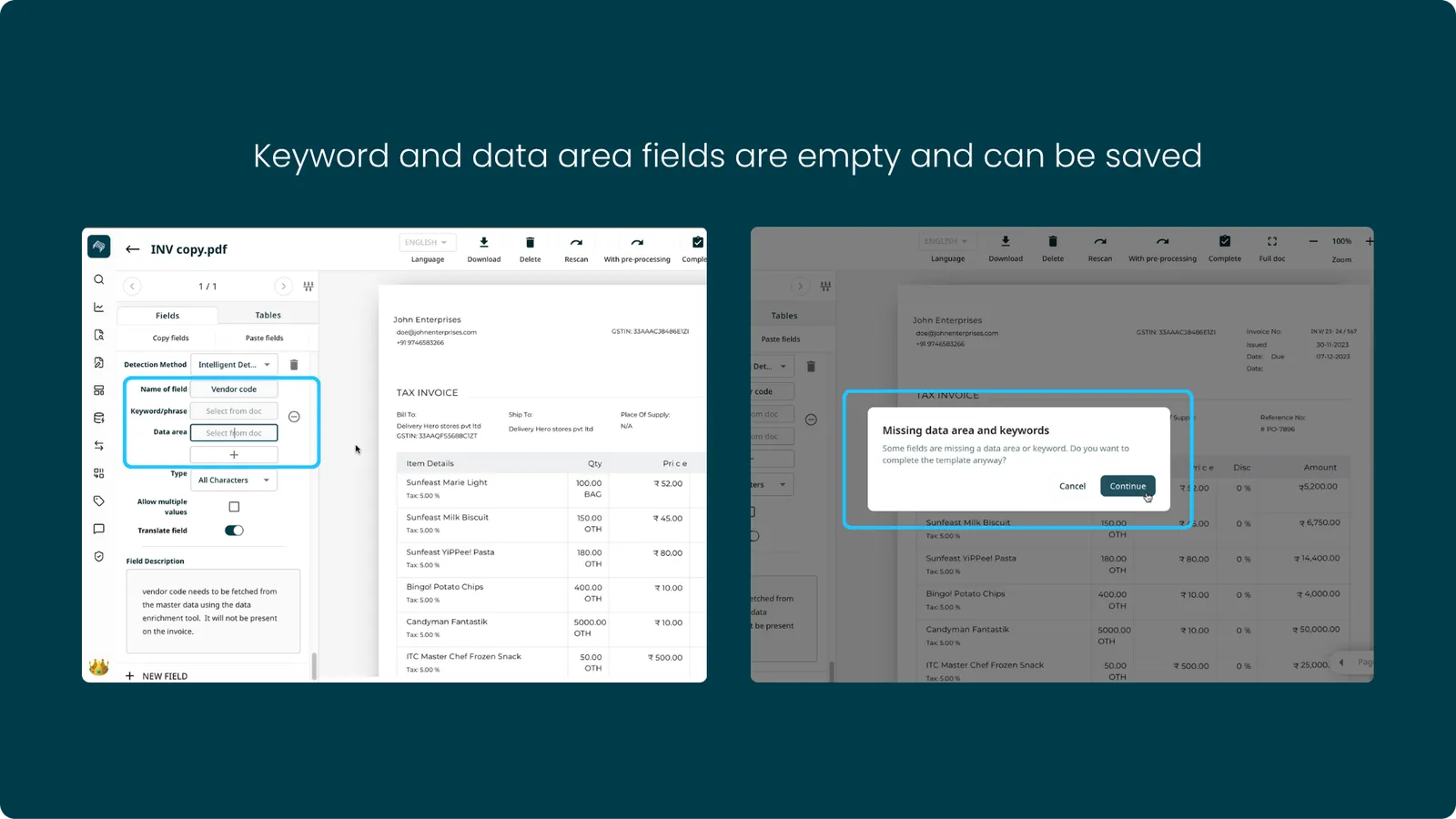
For template-specific tagging, you no longer delete the field. Simply leave it untagged on templates that don’t need it, and the system knows not to extract it there.
Benefits
- One place to maintain sidebar fields
- No more orphaned fields living on in queues after deletion
- Faster template setup when data area and keywords aren’t needed
5. Data Enrichment Refinements
Data Enrichment shipped in May. June sharpens it.
What’s included
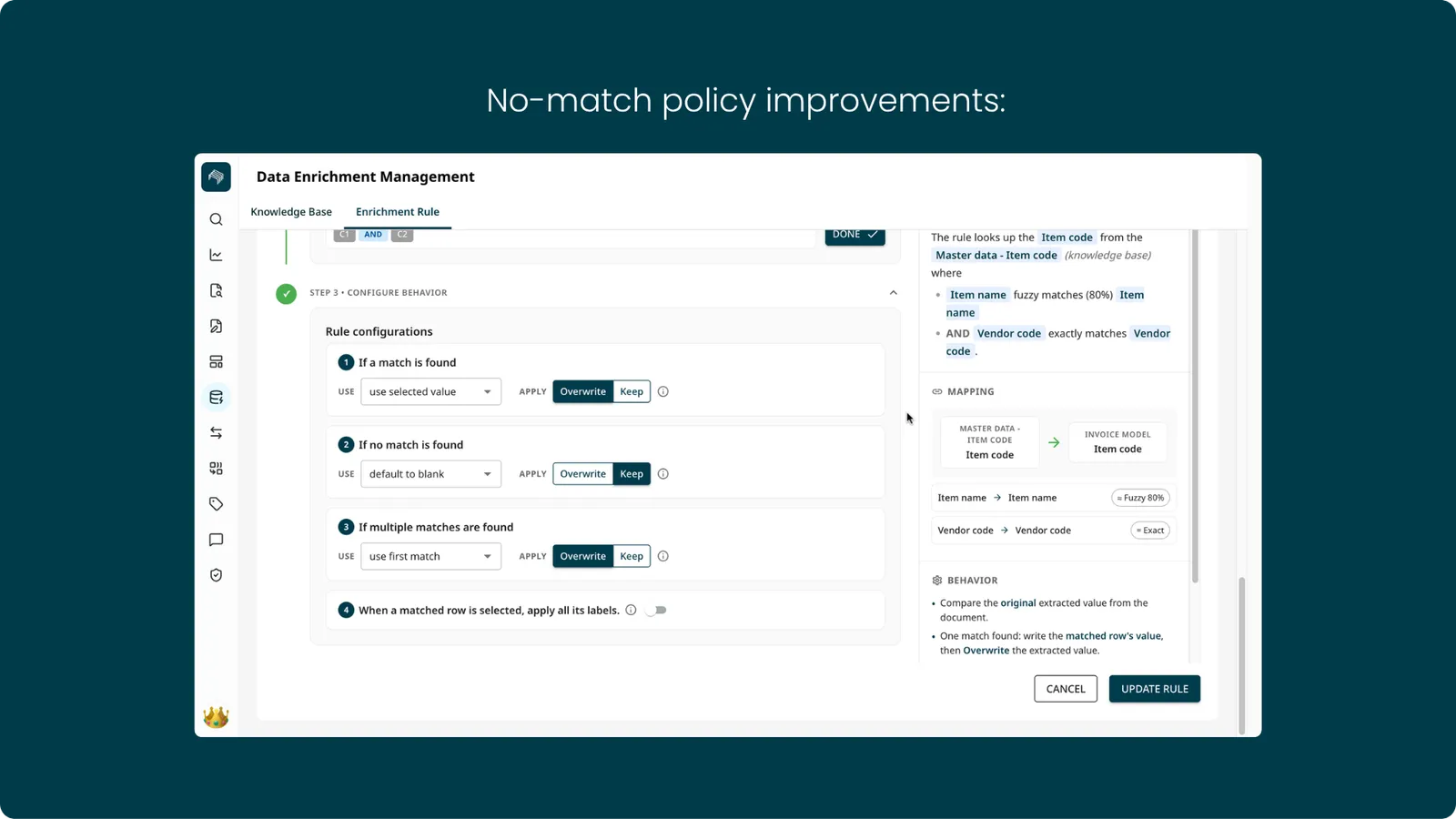
- No-match policy improvements: fallback behavior when no matching record is found is now clearer and more predictable
6. Set Value Conditions
Set Value rules previously applied to every document in the queue. They can now apply conditionally: the value is set only when the document meets the conditions you define.
How it works
- Add up to 5 conditions to any SET rule. All conditions must be true for the value to apply (combined with AND)
- Each condition has three parts: a field, an operator, and a value
- Operators adapt to the field type. Number and date fields support
=,!=,<,>,<=,>=. Text and true/false fields support=and!= - Works on both custom-model and predefined-model queues
- Runs before Data Enrichment, so enrichment lookups use the corrected values
Example
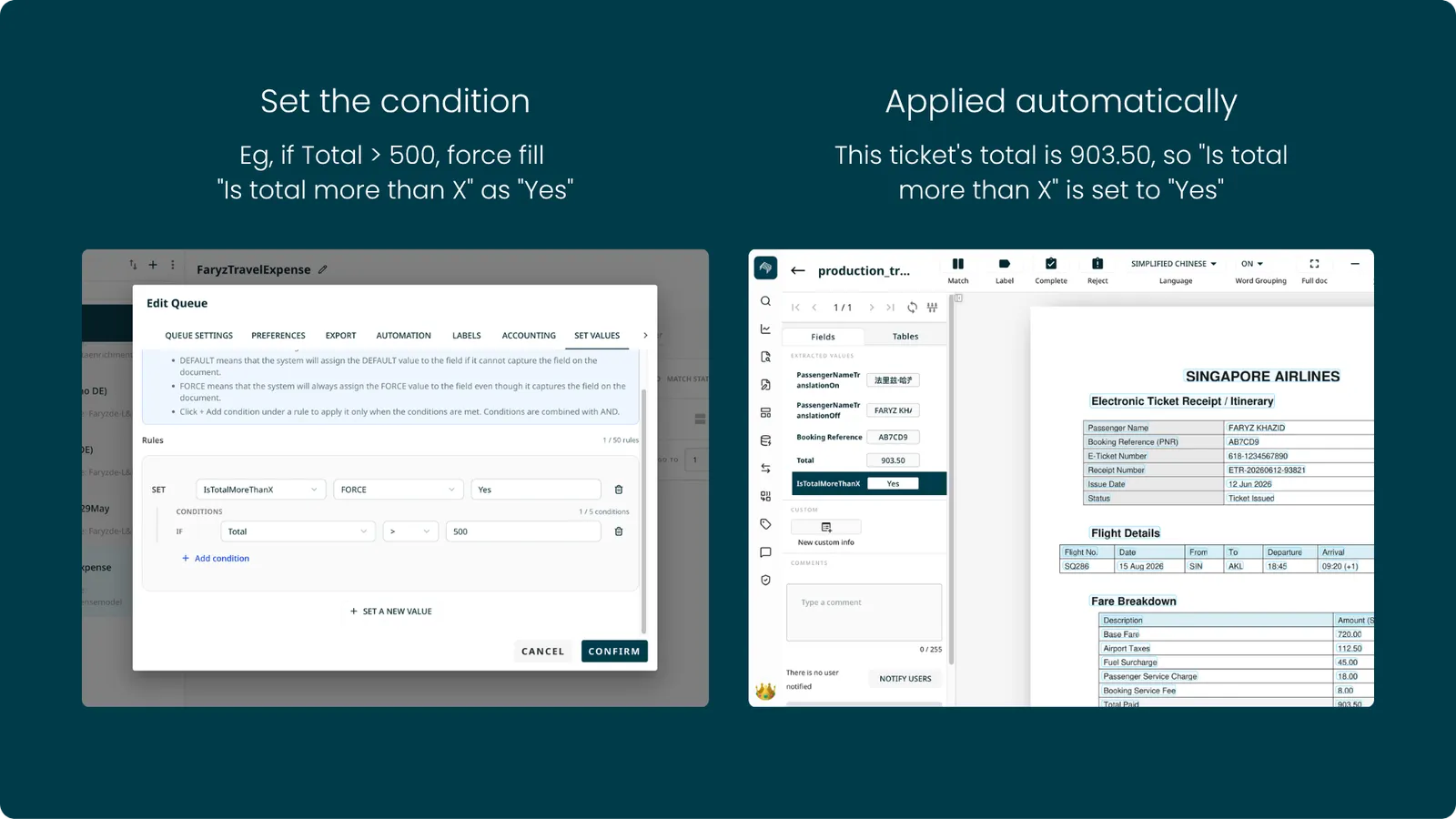
A travel expense queue has a field called “Is total more than X”. A rule is set: if Total > 500, force fill the field as “Yes”. A ticket with a total of 903.50 comes in, the condition matches, and the field is set to “Yes” automatically at scan time.
Minor Enhancements
1. Set Value Rule Limit Increased from 10 to 50
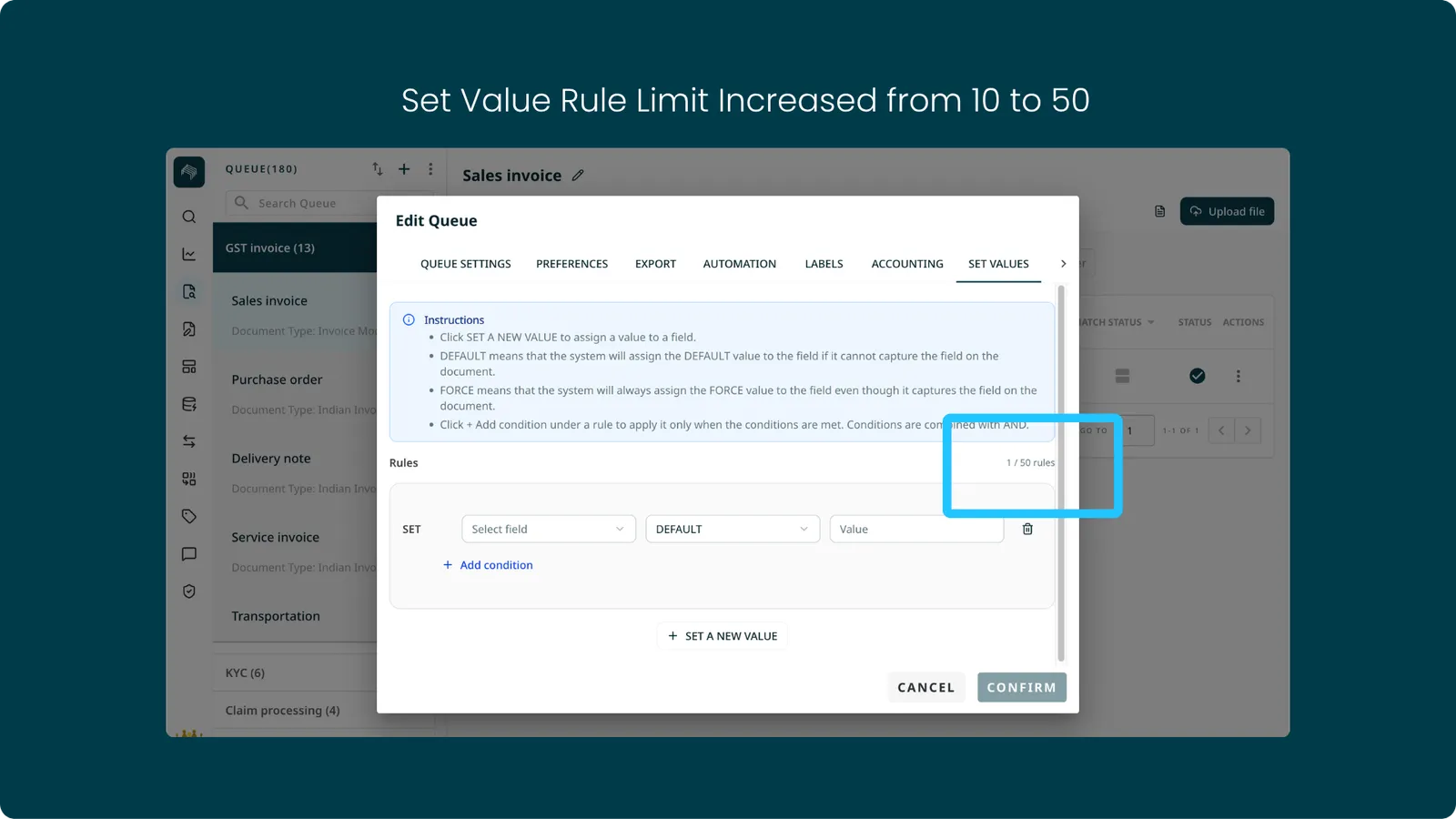
Advanced queue setups now have more room for business-specific automation. Larger rule sets no longer need to be split across multiple queues.
2. Custom Model Support in Staple Chat
Staple Chat previously only supported queues running predefined models. Chat now works with custom models too, so queues built on custom models get the same chat experience as everything else.
3. .txt File Upload
The UI now supports uploading .txt files directly. Text-based inputs follow the same document intake flow as every other supported format, with no workaround needed.
4. Document Labels Included in All Export Formats
Applied document labels are now carried across all supported export formats. Reporting and downstream systems receive the same label information you see in the product.
5. Clearer Queue Name Validation
When a queue name exceeds the character limit, you now get a clear, specific message instead of an opaque validation error.
6. Failed Document Lifecycle Fix
Failed documents could previously be moved to Completed from the edit page and exported unexpectedly. The edit-page state flow has been tightened so failed documents follow the expected lifecycle.