

Monthly release notes for Staple AI
December '25
December’s release focuses on speed, accuracy, and control across the document lifecycle. This update makes it easier to find documents instantly, gives teams more flexibility when working with complex data and mappings, and ensures that user edits are consistently respected across scanning, reconciliation, search, and downstream systems. Together, these enhancements reduce manual effort, improve traceability, and help teams move through reconciliation with greater confidence.
Search by Document ID
Finding a specific document just got faster.
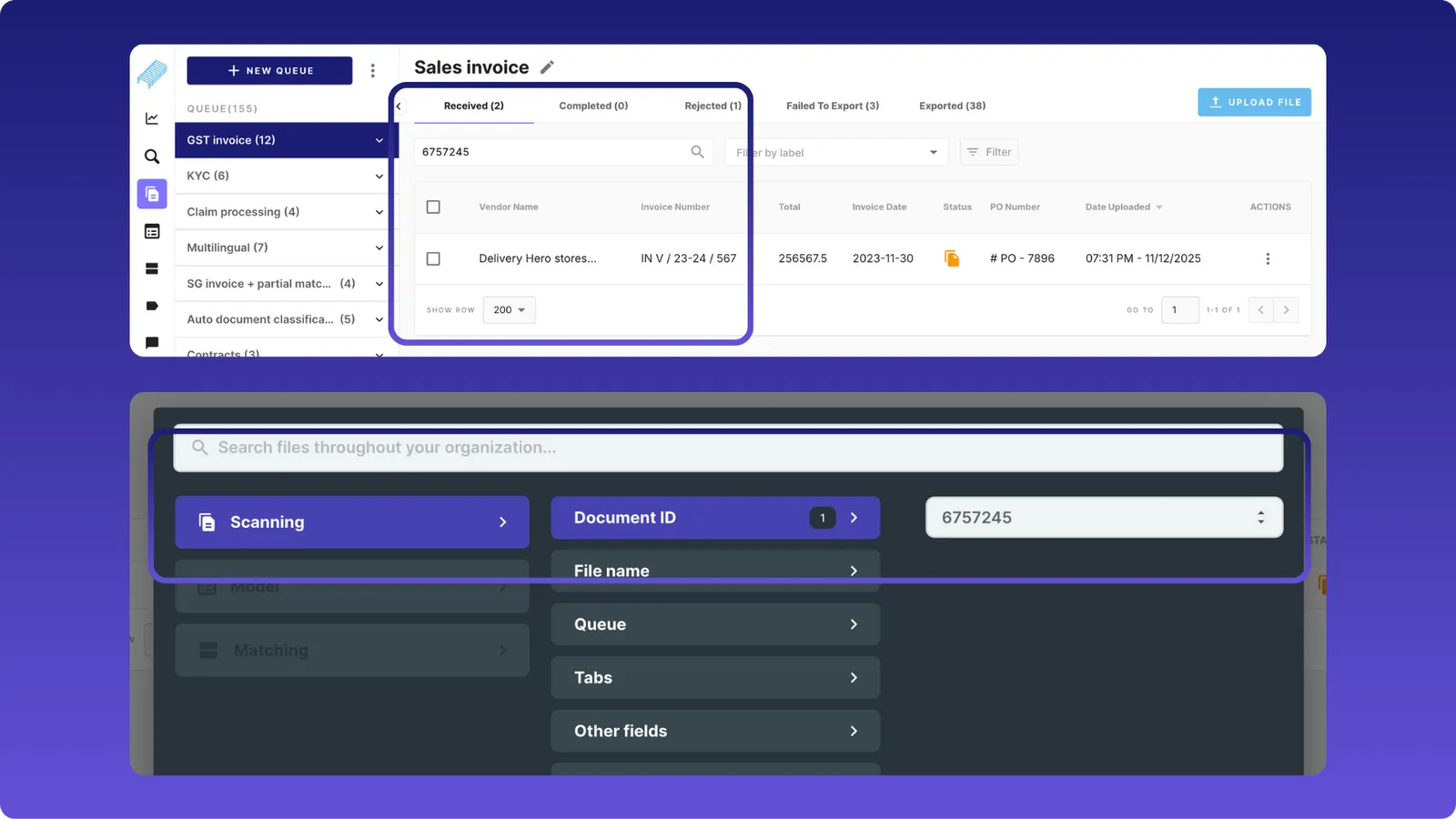
You can now search using Document ID(a system-generated unique identifier) in both theScanning pageand theAdvanced Search page. This is especially useful when you already have a document ID from an API, email, support ticket, or audit trail.
What’s included
- Scanning page search bar now supports Document ID, alongside file name and company name.
- Advanced Search includes a new Document ID field that works across queues.
- Supports partial and case‑insensitive search.
- If the ID is unique, only the matching document is returned.
- Search works seamlessly with existing filters and fields.
Why it matters
- Quickly locate a document without scrolling or guessing filters.
- Reduce back‑and‑forth with support when customers share document IDs.
- Easier audits and investigations using a single, reliable identifier.
Note: For now, Document ID is not added as a visible column on the scanning table, and search behavior remains within the selected tab (Received, Completed, etc.).
User Edit Management & Order of Precedence
We’ve introduced a robust way to track and prioritize user edits made on the scanning screen, especially for documents processed using the data mapper.
When users edit extracted or mapped values, those edits are now treated as the single source of truth across the product.
Order of precedence When displaying or exporting data, the system now follows this order:
- Rescan (resets every data captured)
- User edits (Data manually entered and saved by the user)
- Set values (In queue automations, we can set constant values for required fields)
- Data mapper values (data fetched from the master data)
- IF values (data derived using the Intelligent feedback provided by user during scanning)
- Extracted values (data captured by Staple AI during scanning)
What’s included
-
User edits are clearly identified and tracked for data‑mapper‑related fields. Therefore,
-
Changes made during data extraction automatically reflect in the matching and reconciliation screens.
-
Regardless of whether the extracted data is in English or in the document’s original language, user edits are reflected consistently across both versions.
-
Display, exports and APIs all reflect user‑edited values consistently.
-
In the queue search as well as advanced search, users can search using the edited value.
-
Assuming, a field during scanning has multiple matches from the master data, the user can always pick the right match from the dropdown for each field.
-
Edited values always override extracted, matched, or system‑generated values.
-
Edits are saved only when the user clicks Complete.
-
Unsaved edits are discarded on refresh, rescan, logout, or tab close.
Why it matters
- Users stay in control and system logic never silently overwrites their changes.
- Data mapper logic can safely re‑run using user‑provided corrections.
- Consistent values across UI, exports, downloads, and downstream systems.
- Easier debugging when investigating document changes.
Direct document access from the Reconciliation screen
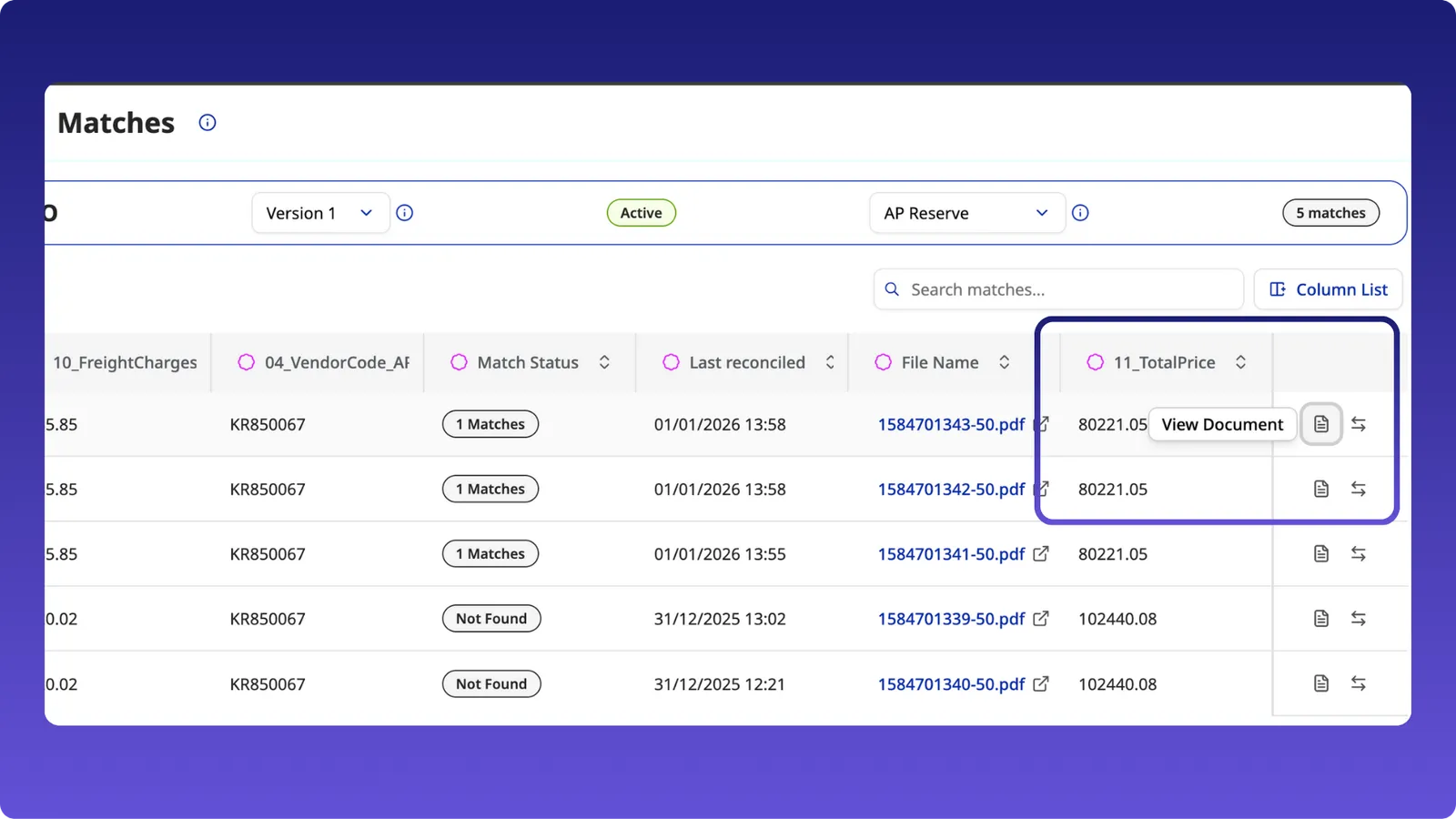
- A new Document link is available on the Matches page, allowing users to open the source document directly.
- This removes the need to copy the file name and search manually.
Other product enhancements
Reconciliation supports all complex table types
Reconciliation now handles all complex table types. Previously, only select table structures were supported; all table variants are now fully supported in Recon.
Mapped data flows into Reconciliation
- Mapped values, including user-edited values, now flow into the Reconciliation page. Earlier, edits didn’t flow into Recon.
- Any edits made during scanning are reflected consistently in Recon.
Last reconciled date
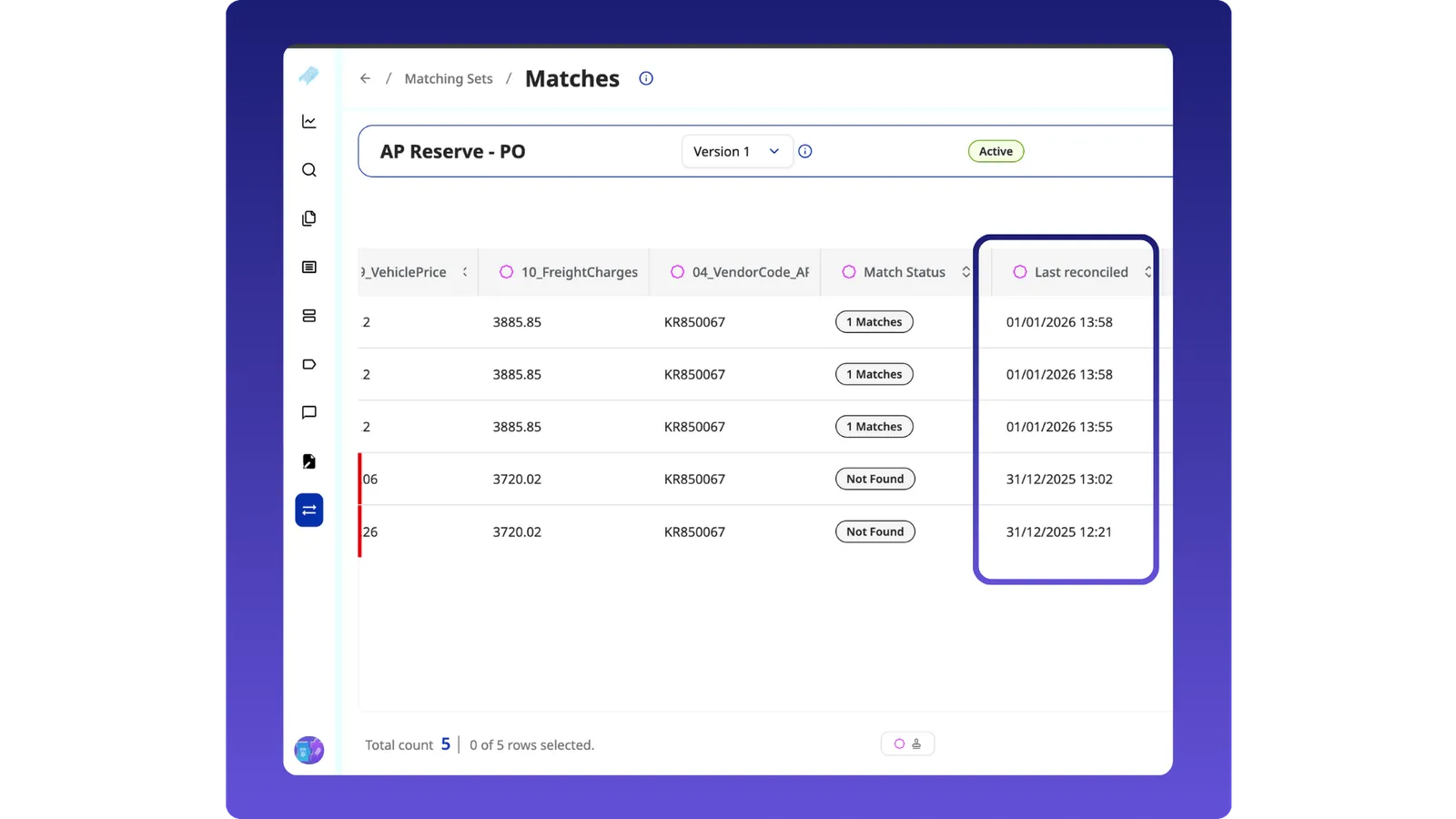
- A new field shows when a document was last reconciled, making it easier to track reconciliation activity.
Data Mapper Rule Limit Increased
We’ve increased the data mapper rule limit per queue from 7 to 15.
This change is driven by e‑invoicing and complex document scenarios where more fields need to be mapped reliably.
What’s included
- Each queue can now support up to 15 data mapper rules.
- No changes required to existing rules, current setups continue to work as before.
Why it matters
- Greater flexibility for complex invoice formats.
- Better coverage for country‑specific and regulatory data requirements.
- Fewer workarounds when mapping large or detailed documents.
As always, these updates are live for all customers. If you have feedback or want to see related enhancements next, please eor your Staple AI contact.